AI for QuickBooks that knows the rest of your business
QuickBooks holds your books. Liaison connects to it with access you grant and reads the ledger, the invoices and the bills, keeps receivables and payables straight against the bank, and does the bookkeeping work you would otherwise do at night.
Because it reads QuickBooks together with your payments, your CRM and your inbox, an answer about your books comes with the rest of the picture. You keep QuickBooks; nothing is replaced or re-entered.
What Liaison does with QuickBooks
- Chases overdue invoices with one reminder per customer, written in your voice, gentle for good payers and firmer for repeat late ones.
- Reconciles payment-processor payouts against the deposits in the books and flags what does not match.
- Codes and enters bills, checks the cash position before anything is paid, and stages the payment run for you to confirm.
- Builds a 30, 60 and 90-day cash forecast from how each customer actually pays.
Questions it answers across QuickBooks and your other tools
- “Who owes us more than 60 days, and when did we last email each of them?”
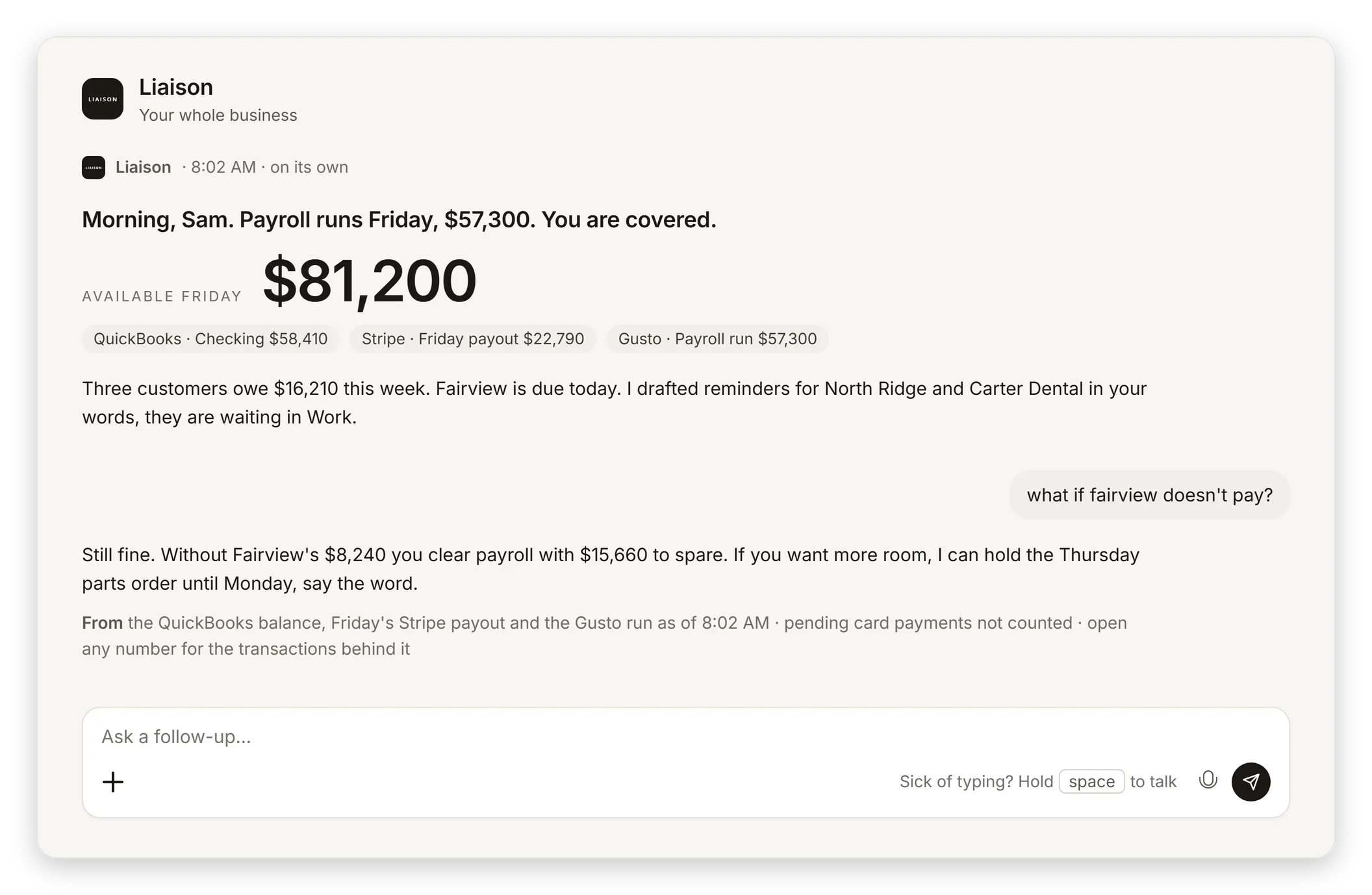
- “Can we make payroll on Friday if the two biggest invoices land late?”
- “Which bills are due this week, and is there cash for all of them?”
- “Why does revenue in the books not match what the CRM says we closed?”
What it reads in QuickBooks
25 kinds of QuickBooks data Liaison can read on its own, every time it answers a question or does a job.
- Create AP Aging Detail ReportCreates an AP aging report in Quickbooks Online
- Create Profit and Loss Detail ReportCreates a profit and loss report in Quickbooks Online
- Get Balance Sheet ReportRetrieves the balance sheet report from Quickbooks Online
- Get BillReturns info about a bill
- Get Cash Flow ReportRetrieves the cash flow report from Quickbooks Online
- Get CustomerReturns info about a customer
- Get InvoiceReturns info about an invoice
- Get My CompanyGets info about a company
- Get PaymentReturns info about a payment
- Get PurchaseReturns info about a purchase
- Get Purchase OrderReturns details about a purchase order
- Get Sales ReceiptReturns details about a sales receipt
- Get Time ActivityReturns info about an activity
- List Open InvoicesLists invoices with an outstanding balance (open invoices)
- List Past Due Invoices
- Search AccountsSearch for accounts
- Search CustomersSearches for customers
- Search InvoicesSearches for invoices
- Search ItemsSearches for items
- Search ProductsSearch for products
- Search PurchasesSearches for purchases
- Search QueryPerforms a search query against a Quickbooks entity
- Search ServicesSearch for services
- Search Time ActivitiesSearches for time activities
- Search VendorsSearches for vendors
What it can do in QuickBooks
17 actions Liaison can take in QuickBooks. It does the ones you have approved, in your voice; anything that moves money waits for your yes.
- Create BillCreates a bill
- Create CustomerCreates a customer
- Create EstimateCreates an estimate
- Create InvoiceCreates an invoice
- Create PaymentCreates a payment
- Create PurchaseCreates a new purchase
- Create Purchase OrderCreates a purchase order
- Create Sales ReceiptCreates a sales receipt
- Delete PurchaseDelete a specific purchase
- Send EstimateSends an estimate by email
- Send InvoiceSends an invoice by email
- Sparse Update Invoice
- Update CustomerUpdates a customer
- Update EstimateUpdates an estimate
- Update InvoiceUpdates an invoice
- Update ItemUpdates an item
- Void InvoiceVoids an invoice
Works alongside QuickBooks
The tools Liaison most often reads together with QuickBooks.
Read together: QuickBooks and Shopify · Stripe and QuickBooks · HubSpot and QuickBooks · Jobber and QuickBooks · ServiceTitan and QuickBooks · Square and QuickBooks · Salesforce and QuickBooks · Gusto and QuickBooks · Housecall Pro and QuickBooks · BILL and QuickBooks · QuickBooks and WooCommerce · QuickBooks and Ramp
Liaison in QuickBooks, set up with you, for $629 a month.
- Connects to QuickBooks with access you grant and reads it with the rest of your business; nothing is replaced or re-entered.
- Does the routine work in your voice, from your own inbox, calendar and number; each kind of work is approved once.
- Answers a question about QuickBooks with the rest of the picture: the customer, the invoice, the thread, the calendar.
On Professional we connect your tools, bring your data in and set up the first rules with you. Anything that moves money waits for your yes.
“Cut our month-end close from 4 days to 4 hours.” Marcus C., owner
$629 a month, or $500 a month on a 12-month term. Prefer to start on your own? Starter is $149 a month, self-serve, with a free trial first: 7 days, no card.
Questions
Does Liaison replace QuickBooks?
No. You keep QuickBooks exactly as it is. Liaison connects to it, reads it together with your payments, your CRM and your inbox, and does the work in it the way a person on your team would.
How does Liaison connect to QuickBooks?
With access you grant from your own QuickBooks account, and can revoke at any time. Where a tool offers no way in from outside, Liaison works it on its own computer, the way a person would.
Can Liaison act in QuickBooks without asking?
It does the routine work you have approved, in your voice. Anything that moves money, such as a payment, a refund or a transfer, always waits for your yes.
What does it cost?
Liaison starts at $149 a month. Professional is $629 a month and Team is $2,950 a month for up to five seats. Every plan works with the tools you connect.
See it on your own business.
Thirty minutes with us, on your own tools. Bring the thing that eats your evenings and watch it get handled from your own inbox, calendar and books.
Professional is $629 a month and we set it up with you. Starter is $149 a month, self-serve, with the free trial first: 7 days, no card. Every plan is on the pricing page.