AI automation, explained
AI automation is software that reads, decides and acts across the tools a business already runs, without a person doing each step. It reads the email, works out what it is about, drafts the reply in your voice, and files what needs filing. It reads the bill, codes it and enters it. It notices the gap in Thursday’s schedule and fills it from the waitlist.
The older kind of automation, the trigger-and-action kind, could only move data between fixed fields when a fixed event happened. It broke the moment the input varied. AI automation handles the variation, which is why it can take on work that used to need a person.
Liaison does this part of the job, set up with you, for $629 a month. See how.
Two kinds of automation
Trigger-and-action automation is a rule: when a form is submitted, add a row to the spreadsheet; when a deal closes, send the template email. It is cheap and reliable for work that never varies, and useless for work that does. An email with a question in it, a bill in a PDF, a customer asking to move Thursday to Friday: none of these fit a rule.
AI automation reads the thing in front of it and decides what it means before acting. The question gets an answer drafted from the customer’s history; the PDF becomes a coded bill; the move request becomes a calendar change and a confirmation. The decision is the part that used to require you, and it is the part that now runs inside your own rules.
What it can do today in a small business
- The inbox: read every message, draft the reply in your voice with the history behind it, file what needs filing, and bring you the three that need a decision.
- The books: read bills from the inbox and the PDFs, code and enter them, match payouts and deposits to the invoices they paid, and chase what is overdue.
- The schedule: fill a gap from the waitlist, confirm appointments by text from your own number, and move the day when something changes.
- The weekly report: pull the numbers from the tools they live in and write the report that used to take an afternoon.
- The tools with no way in: work a portal or an older system through its own screen, the way a person would, so nothing you run has to be replaced.
Where it pays first
Start with the work that is routine, frequent and already spread across several tools. In most businesses that is the inbox, then collections, then the weekly report, then scheduling. These are the jobs where an owner loses hours a week and where a mistake is cheap to catch. Bookkeeping entry follows once the first three are running, because it is the one where the review habit matters most.
The work that does not pay first is the rare, high-stakes decision: the pricing of a large bid, the hire, the customer who is unhappy. AI automation can prepare each of those; it should not decide them.
What stays with a person
- Anything that moves money. Payments, refunds and payroll changes are prepared and wait for a yes.
- Anything that changes a relationship: pricing, hiring, letting someone go, a difficult customer.
- The first runs of every kind of task. Approval first, then autonomy for that kind of task once the runs have been right, with a receipt each time so you can see what was done.
- The judgment. The automation reads, drafts and acts inside rules you set; the rules are yours.
How to start
- Pick three recurring tasks that eat your week and live in more than one tool.
- Connect the tools those tasks live in, with access you grant, and let the automation read them before it does anything.
- Approve the first runs of each task, correct what is off, and let each kind run on its own once it has been right.
- Measure hours back, not features. If the three tasks are not off your plate in a month, change the tasks.
The part Liaison does
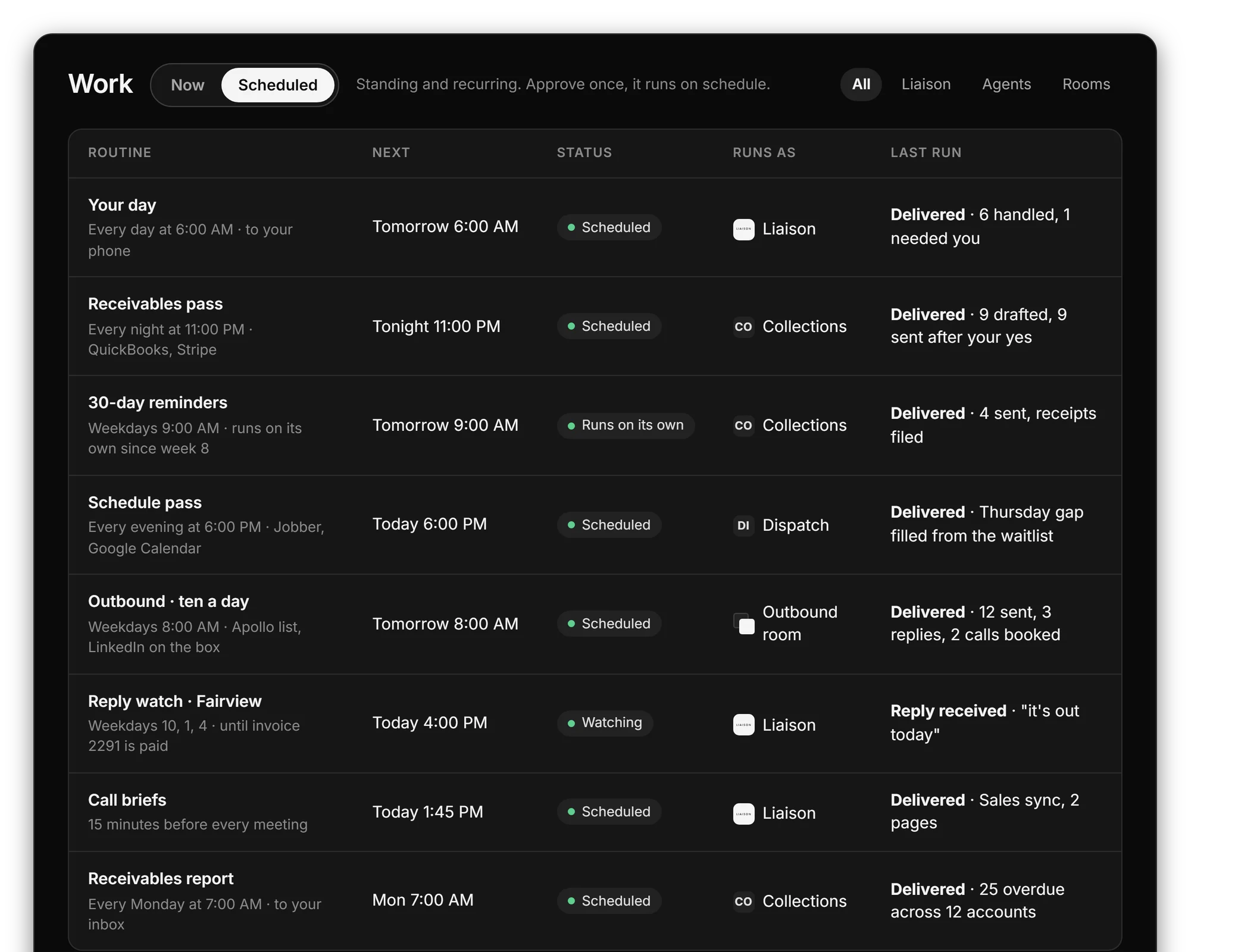
Liaison is AI automation for the back office of a small business. It connects to the inbox, the calendar, the CRM, the books and the messaging you already run, reads them as one memory, and works inside them around the clock. It asks before everything at first; once you have approved the same kind of thing enough times, that kind runs on its own with a receipt. Anything that moves money always waits for your yes. You keep every tool you have.
AI automation that runs your back office, set up with you, for $629 a month.
- Reads your inbox, calendar, CRM and books as one memory and does the routine work inside them.
- Asks first, then runs each kind of task on its own once you have approved it, with a receipt every time.
- Works any tool with a login, so nothing you run has to change.
On Professional we connect your tools, bring your data in and set up the first rules with you. Anything that moves money waits for your yes.
“Cut our month-end close from 4 days to 4 hours.” Marcus C., owner
$629 a month, or $500 a month on a 12-month term. Prefer to start on your own? Starter is $149 a month, self-serve, with a free trial first: 7 days, no card. More: AI agents for business.
Works with the tools you already run
Liaison connects to these and more with access you grant, and reads them together with the rest of your business. Each page shows what it reads and does in that tool.
Questions
What is the difference between AI automation and workflow automation?
Workflow automation runs fixed rules: when this happens, do that. AI automation reads what is in front of it, decides what it means and acts, so it handles the email, the PDF and the request that no rule could anticipate.
Do I have to replace my software?
No. AI automation works inside the tools you already run, with access you grant. Where a tool has no way in from outside, it works through the tool’s own screen the way a person would.
Is it safe to let it act on its own?
It should ask first. The pattern that works is approval for the first runs of each kind of task, then autonomy for that kind with a receipt each time, and a standing rule that anything moving money waits for a yes.
What does AI automation cost for a small business?
Liaison starts at $149 a month on Starter, self-serve with a 7-day trial. Professional is $629 a month, and we connect your tools and set up the first rules with you. Team is $2,950 a month for up to five seats.
How long does it take to set up?
Connecting the tools takes minutes with access you grant. The first useful runs happen the same day; letting a kind of task run on its own usually takes a couple of weeks of approving and correcting.
More from Liaison
See it on your own business.
Thirty minutes with us, on your own tools. Bring the thing that eats your evenings and watch it get handled from your own inbox, calendar and books.
Professional is $629 a month and we set it up with you. Starter is $149 a month, self-serve, with the free trial first: 7 days, no card. Every plan is on the pricing page.