AI for ServiceM8 that knows the rest of your business
ServiceM8 holds the jobs, the crews and the schedule. Liaison connects to it with access you grant and reads jobs, quotes, visits, timesheets and equipment, and keeps the schedule, the invoicing and the customer in step with what happened in the field.
Because it reads ServiceM8 together with your books, your CRM and your calls, an answer about the jobs, the crews and the schedule comes with the rest of the picture. You keep ServiceM8; nothing is replaced or re-entered.
What Liaison does with ServiceM8
- Fills schedule gaps from the waitlist and texts both customers from your number.
- Turns finished jobs into invoices and chases the ones that go unpaid.
- Follows up on open quotes in your voice before the customer goes elsewhere.
- Assembles hours for payroll and flags anything that looks wrong before the run.
Questions it answers across ServiceM8 and your other tools
- “Which jobs finished this week but have not been invoiced?”
- “Where is there a gap on Thursday, and who on the waitlist can fill it?”
- “Which quotes are older than ten days with no answer?”
- “Which crews ran over their hours this pay period, and on what jobs?”
What it reads in ServiceM8
29 kinds of ServiceM8 data Liaison can read on its own, every time it answers a question or does a job.
- Get Attachment
- Get Badge
- Get Category
- Get Company
- Get Company Contact
- Get Feedback
- Get Job
- Get Job Activity
- Get Job Contact
- Get Job Material
- Get Job Payment
- Get Note
- Get Queue
- Get Staff
- List AttachmentsList attachments with optional filters
- List BadgesList badges with optional filters
- List CategoriesList categories with optional filters
- List CompaniesList companies (clients) with optional filters
- List Company ContactsList company contacts with optional filters
- List FeedbackList feedback with optional filters
- List Job ActivitiesList job activities with optional filters
- List Job ContactsList job contacts with optional filters
- List Job MaterialsList job materials with optional filters
- List Job PaymentsList job payments with optional filters
- List JobsList jobs with optional filters
- List NotesList notes with optional filters
- List QueuesList job queues with optional filters
- List StaffList staff with optional filters
- List Webhook Subscriptions
What it can do in ServiceM8
46 actions Liaison can take in ServiceM8. It does the ones you have approved, in your voice; anything that moves money waits for your yes.
- Create AttachmentCreate an attachment
- Create BadgeCreate a badge
- Create CategoryCreate a job category
- Create CompanyCreate a company (client)
- Create Company ContactCreate a company contact
- Create JobCreate a job
- Create Job ActivityCreate a job activity
- Create Job ContactCreate a job contact
- Create Job MaterialCreate a job material line
- Create Job PaymentCreate a job payment
- Create Job QueueCreate a job queue
- Create NoteCreate a note
- Create Staff MemberCreate a staff member
- Create Webhook Subscription
- Delete Attachment
- Delete Badge
- Delete Category
- Delete Company
- Delete Company Contact
- Delete Job
- Delete Job Activity
- Delete Job Contact
- Delete Job Material
- Delete Job Payment
- Delete Note
- Delete Queue
- Delete Staff
- Delete Webhook Subscription
- Make API Request
- Produce Invoice
- Produce Quote
- Send Email
- Send SMS
- Update Attachment
- Update Badge
- Update Category
- Update Company
- Update Company Contact
- Update Job
- Update Job Activity
- Update Job Contact
- Update Job Material
- Update Job Payment
- Update Job Queue
- Update Note
- Update Staff Member
Works alongside ServiceM8
The tools Liaison most often reads together with ServiceM8.
Liaison in ServiceM8, set up with you, for $629 a month.
- Connects to ServiceM8 with access you grant and reads it with the rest of your business; nothing is replaced or re-entered.
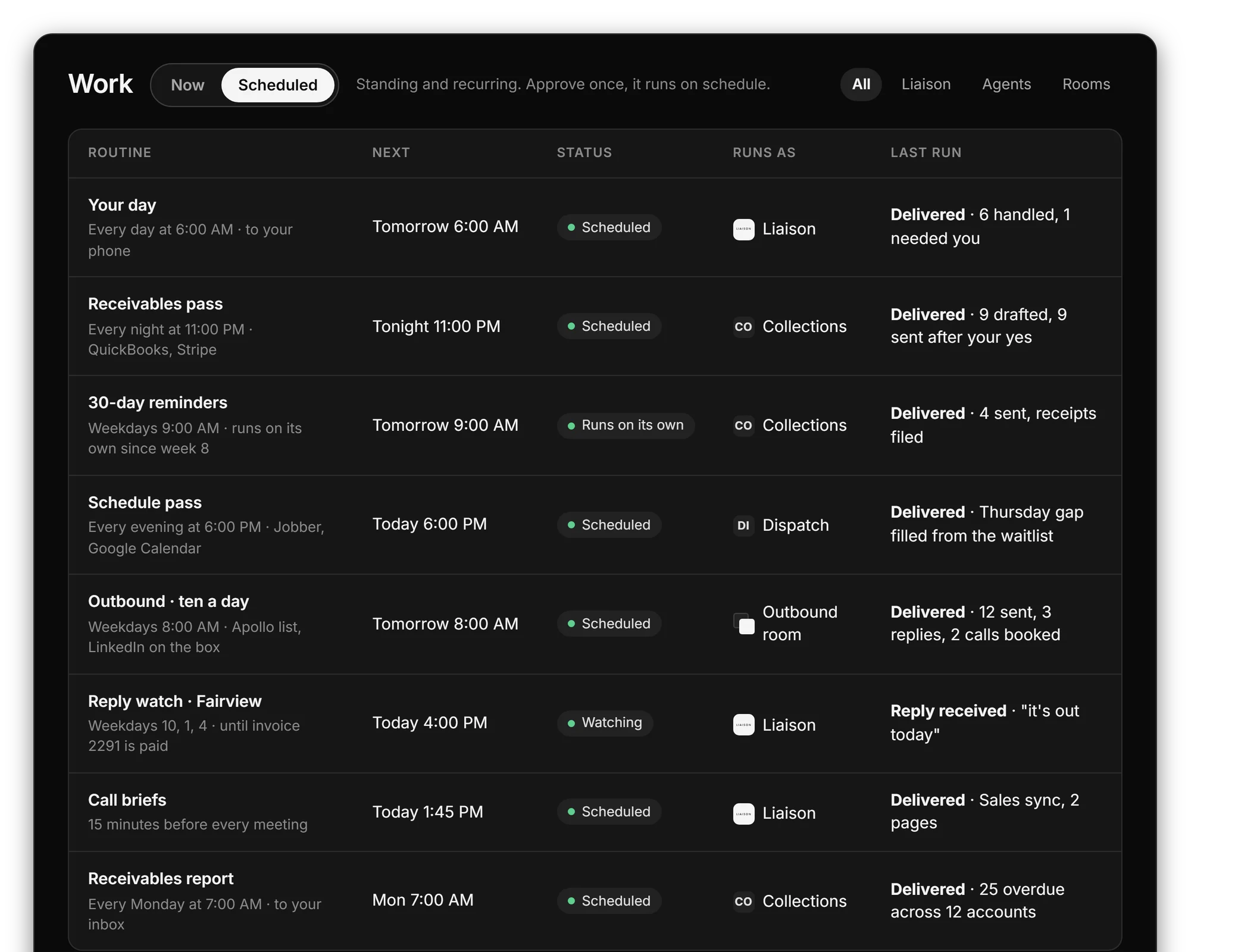
- Does the routine work in your voice, from your own inbox, calendar and number; each kind of work is approved once.
- Answers a question about ServiceM8 with the rest of the picture: the customer, the invoice, the thread, the calendar.
On Professional we connect your tools, bring your data in and set up the first rules with you. Anything that moves money waits for your yes.
“Cut our month-end close from 4 days to 4 hours.” Marcus C., owner
$629 a month, or $500 a month on a 12-month term. Prefer to start on your own? Starter is $149 a month, self-serve, with a free trial first: 7 days, no card.
Questions
Does Liaison replace ServiceM8?
No. You keep ServiceM8 exactly as it is. Liaison connects to it, reads it together with your books, your CRM and your calls, and does the work in it the way a person on your team would.
How does Liaison connect to ServiceM8?
With access you grant from your own ServiceM8 account, and can revoke at any time. Where a tool offers no way in from outside, Liaison works it on its own computer, the way a person would.
Can Liaison act in ServiceM8 without asking?
It does the routine work you have approved, in your voice. Anything that moves money, such as a payment, a refund or a transfer, always waits for your yes.
What does it cost?
Liaison starts at $149 a month. Professional is $629 a month and Team is $2,950 a month for up to five seats. Every plan works with the tools you connect.
See it on your own business.
Thirty minutes with us, on your own tools. Bring the thing that eats your evenings and watch it get handled from your own inbox, calendar and books.
Professional is $629 a month and we set it up with you. Starter is $149 a month, self-serve, with the free trial first: 7 days, no card. Every plan is on the pricing page.